Buying guide
Standing desk price in Nigeria: the full 2026 buying guide
What an electric sit-stand desk costs in naira, which size fits your room and screens, what to check before you pay, and the real total with delivery and installation.
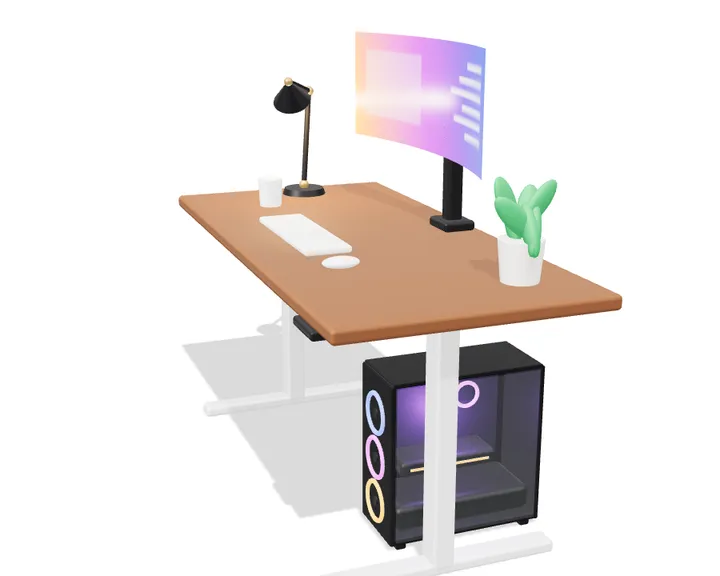
If you have searched for a standing desk price in Nigeria, you have probably seen numbers all over the place. One seller lists a desk at a price that looks too good, another quotes double, and neither tells you the size, the motor, the load rating or what happens if something breaks in year two. This guide sets out what a sit-stand desk is, what we charge for each size, how to size one for your room, what to check before you pay and what the research really says about standing at work.
What an electric sit-stand desk is (and what it is not)
An electric sit-stand desk is a desk whose legs are telescopic columns driven by a motor. You press a button on a small control panel and the whole top, with your monitors, laptop and coffee on it, rises or lowers smoothly. The point is not the standing itself. The point is that changing position becomes so easy you actually do it.
There are three other things people in Nigeria often get offered under the name "standing desk", and it helps to know the difference.
- Manual crank desks. Same idea, but you wind a handle to raise and lower the top. Cheaper and no electricity needed, but cranking a loaded desk up takes many turns, so most people stop adjusting within weeks.
- Desk converters (also called desk risers). A platform on top of your existing table that lifts keyboard and monitor. A fair budget way to try standing, but they eat desk space and often bounce while you type.
- Fixed-height standing desks. Tall tables you can only stand at. Fine for a counter, poor for an eight-hour workday.
If you will spend more than a few hours a day at the desk and you want to alternate, electric is the version that people keep using. That is why it is the only kind of full standing desk we sell.
Our standing desk prices in Nigeria (November 2026)
These are NestStore prices at the time of writing (November 2026). Every desk below uses a single-motor frame with memory presets, a height range of 78 to 120 cm and a rated load of 120 kg. Tops come in white, black or walnut unless noted. Prices move with the dollar, so the store page always has the current figure.
- 1.2 m x 60 cm: ₦300,000. The compact one. A laptop plus one monitor up to 27 inches, a lamp and a notebook. Good for a bedroom corner or a small flat.
- 1.4 m x 60 cm: ₦350,000. The one most people should look at first. Two 24-inch monitors fit side by side, or one 27-inch with room for a laptop next to it.
- 1.6 m x 60 cm: ₦400,000. A full two-screen setup with space left over to write, sketch or keep a printer.
- 1.6 m x 70 cm (walnut): ₦400,000. The extra 10 cm of depth matters more than people expect. It is our pick for a 34-inch ultrawide or for two 27-inch screens, because the monitors can sit further from your eyes.
- 1.6 m x 80 cm: ₦420,000. The deepest top we sell. For big screens, a desktop tower on the desk, a mixer or a drawing tablet in front of the keyboard, or people who simply like a lot of room.
- L-shaped, 1.2 m / 1.4 m / 1.6 m: ₦320,000 / ₦370,000 / ₦420,000. A main run plus a corner return. Made for corners, two-computer setups and anyone who wants a writing area away from the monitors.
Before you choose a size, put masking tape on the floor where the desk will go, then place a chair behind it and pull it back as if you were standing up. If the tape outline feels cramped, it will feel worse once there is a desk there.
How to size a standing desk for your room and screens
Start with the room. Measure the wall or corner where the desk will go, then allow at least 60 cm behind the edge of the desk for your chair, and more if you want to roll back and stand without knocking into a bed or wardrobe. Check what is above it too: a window sill, a high socket, an AC unit or a ceiling fan can get in the way at full standing height.
Then work out the screens. These are rough rules that hold up well in practice:
- One monitor up to 27 inches, plus a laptop: 1.2 m is enough.
- Two 24-inch monitors: 1.4 m is comfortable. Two 27-inch monitors side by side really want 1.6 m.
- A 34-inch ultrawide: the screen itself is roughly 80 cm wide, so width is rarely the problem. Depth is. Go for 70 or 80 cm deep so the curved edges are not right in your face.
- A laptop on a stand next to a monitor: add about 35 cm of width to whatever the monitor needs.
Depth is the most common mistake we see. A 60 cm deep top with a big monitor on its stock stand puts the screen too close, because the stand itself eats 20 cm or more of the depth. If you are set on a 60 cm desk, a monitor arm fixes much of this by letting the screen float at the back edge.
L-shaped desks are for corners. The return holds paperwork or a second machine without crowding the keyboard. Measure both walls, and remember the return needs its own clear floor space for your knees.
If you want to see it before you buy, NestBuild lets you plan your desk in 3D with real sizes, so you can check whether that 1.6 m x 80 cm top really fits between the bed and the window.
Single motor or dual motor: what the difference means
A single-motor frame has one motor, usually in one leg, which drives both columns through a steel shaft that runs under the desktop. A dual-motor frame has a separate motor in each leg, synchronised by the control box.
Single motor is cheaper and is genuinely enough for a normal home or office setup: one or two monitors, a laptop, a lamp, speakers and the odd book pile. It can be a little slower and louder under heavy loads.
Dual motor makes sense for very wide or deep tops, heavy loads such as a big desktop tower plus three monitors, or people who will adjust many times a day and want it quieter.
Our desks today are all single motor. Dual-motor desks are coming soon to NestStore. If you are building a heavy setup and would rather wait, message us on WhatsApp and we can tell you what we know about timing.
Height range: will a 78 to 120 cm desk fit you?
Our desks go from 78 cm at the lowest to 120 cm at the highest. To know if that works for you, you need your own two numbers, and they are easy to measure.
- Sitting height: sit in your chair with your feet flat on the floor and thighs roughly level. Let your shoulders drop and bend your elbows to about a right angle. Have someone measure from the floor to the underside of your forearm. That is roughly where the top of the desk should be.
- Standing height: stand in the shoes you will actually wear at the desk (or barefoot on your mat, if that is how you will work). Same relaxed shoulders, same right-angle elbows. Measure floor to forearm again.
- Screen height: the top of the screen should sit around your eye level or a little below, about an arm's length away. This is separate from desk height, and it is why a monitor arm or riser often matters as much as the desk.
The top end, 120 cm, covers standing height for almost everyone. Only very tall people will run out of travel. The bottom end is where shorter users need to pay attention. If your seated measurement comes out below 78 cm, the desk will feel a little high when you sit. The fix: raise your chair until your elbows line up with the desk, and add a footrest.
Weight load: what 120 kg means for real gear
A 120 kg rated load sounds like a lot, and for a normal setup it is. A typical monitor weighs a few kilograms, a laptop one to three, and even a desktop tower, speakers, an arm and a pile of files usually leave a real desk well under half the rating.
The rating is still worth respecting for two reasons. First, motors work harder and wear faster near their limit, so a big margin means a longer life. Second, how the weight is spread matters. Three monitors on a heavy arm clamped at one end puts much more strain on that leg than the same weight spread evenly. Planning something unusual, like a heavy printer? Ask us first.
Memory presets: the feature that makes you actually use it
Memory presets are buttons on the control panel that store a height. You set the desk to your sitting height, save it to button 1, set it to standing height, save it to button 2. After that, switching is one press instead of holding a button and guessing.
This sounds like a small convenience. It is not. The whole value of a sit-stand desk is changing position many times a day, and every bit of friction makes you less likely to do it. If two people share the desk, give each their own presets.
How to check build quality on any standing desk in Nigeria
Whoever you buy from, these checks separate a desk that lasts from one that wobbles itself to death in a year.
- The frame. Ask about the steel thickness and look at the feet and crossbar. Thin steel and plastic joints flex. A good frame feels heavy when you lift one leg during assembly.
- Wobble at standing height. Raise it to your standing height and push the front edge gently side to side. A slight give is normal. A monitor that shakes while you type is not.
- Motor noise and smoothness. Run it from bottom to top. It should be a steady hum, not grinding, clicking or a change in pitch halfway. Both sides should rise together, with the top staying level.
- Anti-collision. Many frames stop and reverse slightly if they hit something on the way down. Ask whether the desk has it.
- Cable management. Look for a cable tray or at least clips under the desk. Every cable needs enough slack to travel the full 42 cm between lowest and highest positions, or something gets pulled out of a socket.
- Warranty, and who honours it locally. A factory warranty abroad does little if the control box dies. Ask who in Nigeria replaces parts and how fast.
- Spare parts. Control boxes, hand controllers and motors are what fail. Ask whether they are stocked locally.
At WorkspaceNest you can message us on WhatsApp with any of these questions before you buy, and after. That is the point of buying from someone who will still be here next year.
Power, inverters and power cuts
A motorised desk worries some buyers because of electricity. The good news is that it uses very little. The motor only draws real power while the desk is moving, which is a few seconds at a time, several times a day. The rest of the time it idles on a tiny standby draw, far less than your monitor, so it will not noticeably drain an inverter or UPS.
What happens in a power cut? The desk simply stays at whatever height it was. The legs are held mechanically, so the top does not drop. Some control boxes need a quick reset after a hard cut, so keep the manual.
Surge protection matters more than the inverter question. The spike when grid power returns, or when someone switches over from generator, is what kills control boxes and monitor power boards. Plug the desk, monitors and laptop charger into one good surge-protected extension, and if your area has very unstable power, run the whole setup through a UPS or inverter with proper surge protection. You can see what we stock on the power page.
Run the desk's power cable and your extension so they travel with the desk. Tie the extension to the underside of the top or the cable tray, not to the floor. Then nothing gets yanked out the first time you stand up.
The full cost: delivery, installation and a worked example
The desk price is not the whole bill. Here is what else to plan for, again at November 2026 rates.
- Delivery: ₦10,000 on the Lagos Mainland, ₦12,000 on Lagos Island, ₦10,000 to the rest of the South-West and Edo, ₦15,000 to other states.
- Bulky item charge: desks add ₦20,000 on top of delivery, because they travel as large, heavy boxes.
- Free delivery on orders over ₦3 million, which mostly applies to office fit-outs.
- Installation: ₦15,000 in Lagos and ₦20,000 in Benin City. Elsewhere the desk comes with an assembly guide, and two people with a drill can usually manage it.
- Timing: 1 to 2 working days in Lagos, 3 to 7 working days to other states, and 14 to 21 days for pre-orders.
A worked example. Say you live in Gbagada on the Lagos Mainland and you want the 1.4 m x 60 cm desk, installed. That is ₦350,000 for the desk, ₦10,000 delivery, ₦20,000 bulky item charge and ₦15,000 installation, for a total of ₦395,000.
Another: the 1.6 m x 80 cm desk delivered and installed in Benin City comes to ₦420,000 plus ₦10,000 delivery, ₦20,000 bulky charge and ₦20,000 installation: ₦470,000. And a 1.4 m L-shaped desk sent to Abuja, assembled yourself, is ₦370,000 plus ₦15,000 delivery and ₦20,000 bulky charge: ₦405,000.
If you are also replacing a dining chair with a proper ergonomic chair, those start from ₦160,000.
What the research says about sit-stand desks
Standing desk marketing often promises far more than the evidence supports. Here is what the evidence actually shows.
The best summary is a Cochrane review, "Workplace interventions for reducing sitting at work", last updated in 2018. Pooling the studies available, it found that people given sit-stand desks sat about 100 minutes less per workday in the first three months compared with people at ordinary desks. Over three to twelve months the effect was smaller, around 57 minutes a day. The reviewers rated the evidence as low quality and said there is not enough research to know what happens over periods longer than a year. In plain words: these desks do get people sitting less, the effect tends to fade if you stop bothering, and nobody has proven long-term health outcomes yet.
Standing all day is not the answer either. A University of Sydney study published in the International Journal of Epidemiology in October 2024 followed more than 83,000 adults in the UK Biobank who wore activity trackers. It found that more standing did not lower the risk of heart disease or stroke. It did find that standing beyond about two hours a day was linked to a higher risk of circulatory problems such as varicose veins and chronic venous insufficiency, at roughly 11 percent higher risk for each extra half hour. The same study found that sitting more than 10 hours a day was linked to higher risk of both. The researchers' message was that movement, not standing still, is what helps.
So the honest case for a sit-stand desk is this: it makes it easy to break up long sitting, to stand for calls and short tasks, and to move between positions without fuss. It is a tool for changing posture often, not a licence to stand for eight hours.
How to actually use a standing desk
Cornell University's ergonomics programme, led for years by Professor Alan Hedge, suggests a rough pattern for every half hour: about 20 minutes sitting, 8 minutes standing and 2 minutes moving around. He is clear that the numbers are not strict. They are a useful starting point.
- Alternate, do not marathon. Short standing spells many times a day beat one long one.
- Tie standing to tasks. Stand for every call, every inbox clear-out, every code review. Sit for deep work. That way you do not have to remember.
- Start small. If you have sat all day for years, your feet and legs will complain at first. Begin with 10 to 15 minute spells and build up.
- Use an anti-fatigue mat. A cushioned mat makes standing on tile or concrete far more comfortable, which matters in most Nigerian homes where floors are hard.
- Wear sensible shoes, or go barefoot on the mat. Hard slippers and heels make standing miserable.
- Reset your screen and keyboard when you switch. Elbows by your sides and the top of the screen near eye level, at both heights.
Accessories that make a standing desk work
- A monitor arm. It lets you put the screen at the right height and distance, frees the desk surface, and on a 60 cm deep top it pushes the screen back to a healthier distance.
- A cable tray or cable spine. Keeps the mess off the floor and gives cables room to travel with the desk.
- An ergonomic chair. You will still sit for most of the day. A chair with adjustable height, armrests and lumbar support makes the seated half of the day comfortable.
- An anti-fatigue mat and a footrest. The mat for standing, the footrest for shorter users when sitting.
- A laptop stand with a separate keyboard and mouse, if you work from a laptop. Without it, either your neck or your wrists lose.
Common mistakes people make
- Choosing a manual crank desk to save money, then never adjusting it.
- Standing for hours on day one and deciding standing desks "don't work" because their feet hurt.
- Ignoring screen height. A perfect desk height with the monitor too low still leaves you hunched.
- Buying from a seller with no local warranty or spare parts, then finding out a control box takes months to arrive.
Standing desk questions we get asked a lot
Is a standing desk worth it in Nigeria? If you spend six or more hours a day at a desk, yes, as long as you use it to alternate rather than to stand all day. If you work at the desk for an hour in the evening, a good chair and a properly set up table will do more for you per naira.
Why are some standing desks online so much cheaper? Usually because of the frame (thinner steel, more wobble), the motor and control box (no presets, no anti-collision), a smaller top than the photo suggests, or no local warranty. Ask for the size, the load rating, the height range and who handles repairs.
How long does assembly take? With two people and the right tools, usually an hour or two. In Lagos and Benin City we can do it for you, which also means the cables are dressed properly from day one.
Single motor now, or wait for dual motor? For most setups, single motor is enough and there is no reason to wait. If you plan a very heavy or very wide setup, it may be worth asking us about dual-motor timing.
What to do next
Measure your space and your two heights, then decide how many screens you will run. That narrows the choice to one or two desks from the list above. Work out the total with delivery and installation for your area, and if anything is unclear, message us on WhatsApp before you order. If you want to see it in place first, plan the desk in NestBuild, and once it arrives, run through our five-minute desk check to set the heights properly.